MultiWeek APP
Take control
of your life
with a better
calendar
week view, multiplieD.
up to 20 weeks.
IN color, automatically.
MultiWeek app is changing your way of managing time - almost like predicting your future!
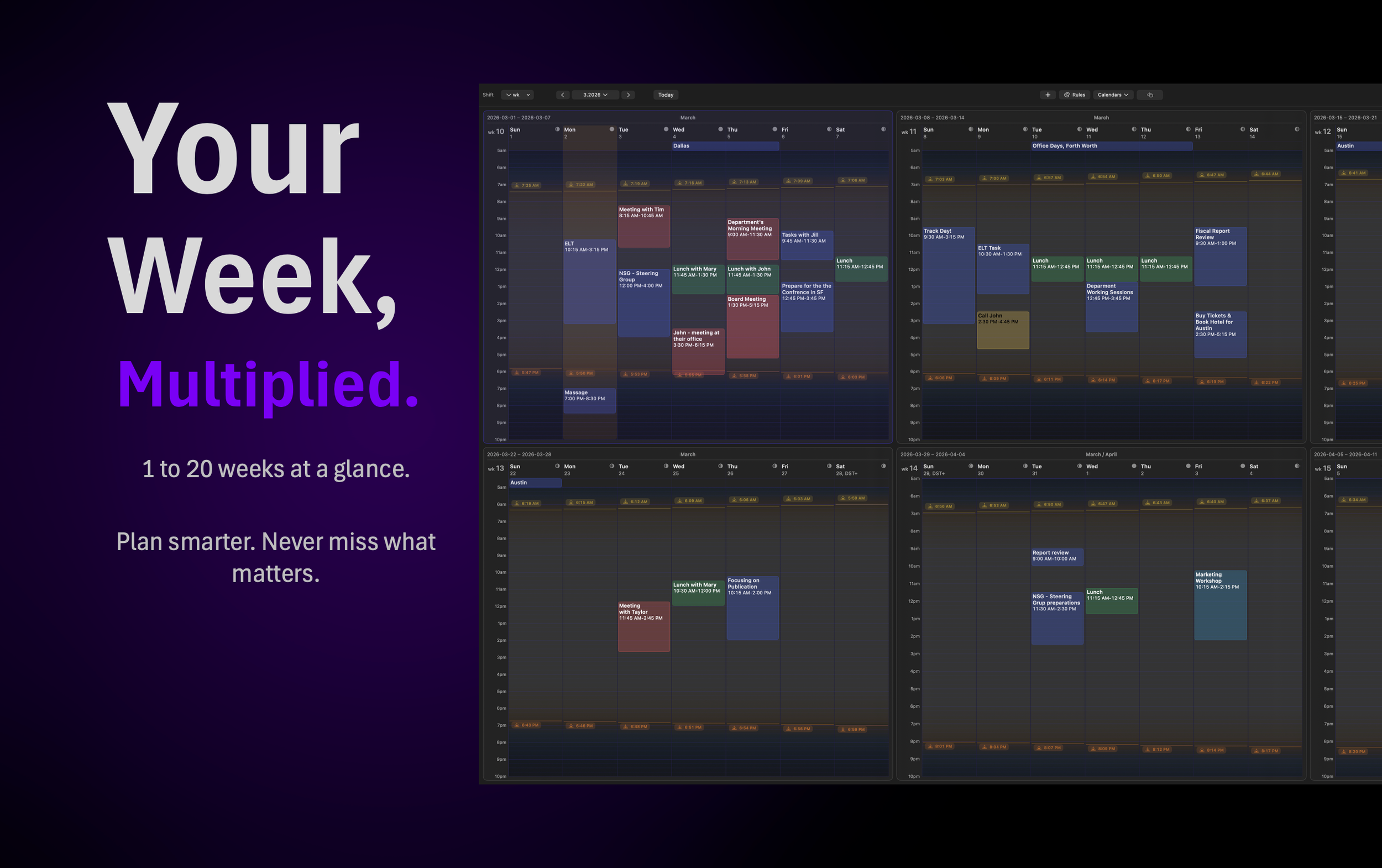
It shows your calendar in a multi-week view at once.
You can crank up the number of weeks from 1 week to 6 weeks or even up to 20 weeks at a time.
It works beautifully with sharpest displays and takes advantage of 5K and 6K displays with ultra-high pixel density.

See MultiWeek in Action — A Quick Video Overview of the Main Features
MULTIWEEK APP
features

-
Connect Outlook, Exchange, iCloud, Google, and Apple calendars in one place. See multiple calendars side by side across 6 weeks or far more (up to 20), so you can understand workload, availability, and overlaps without switching views.
MultiWeek shows the same calendars you have configured to you MacOS and Apple Calendar in the OS’s account settings. -
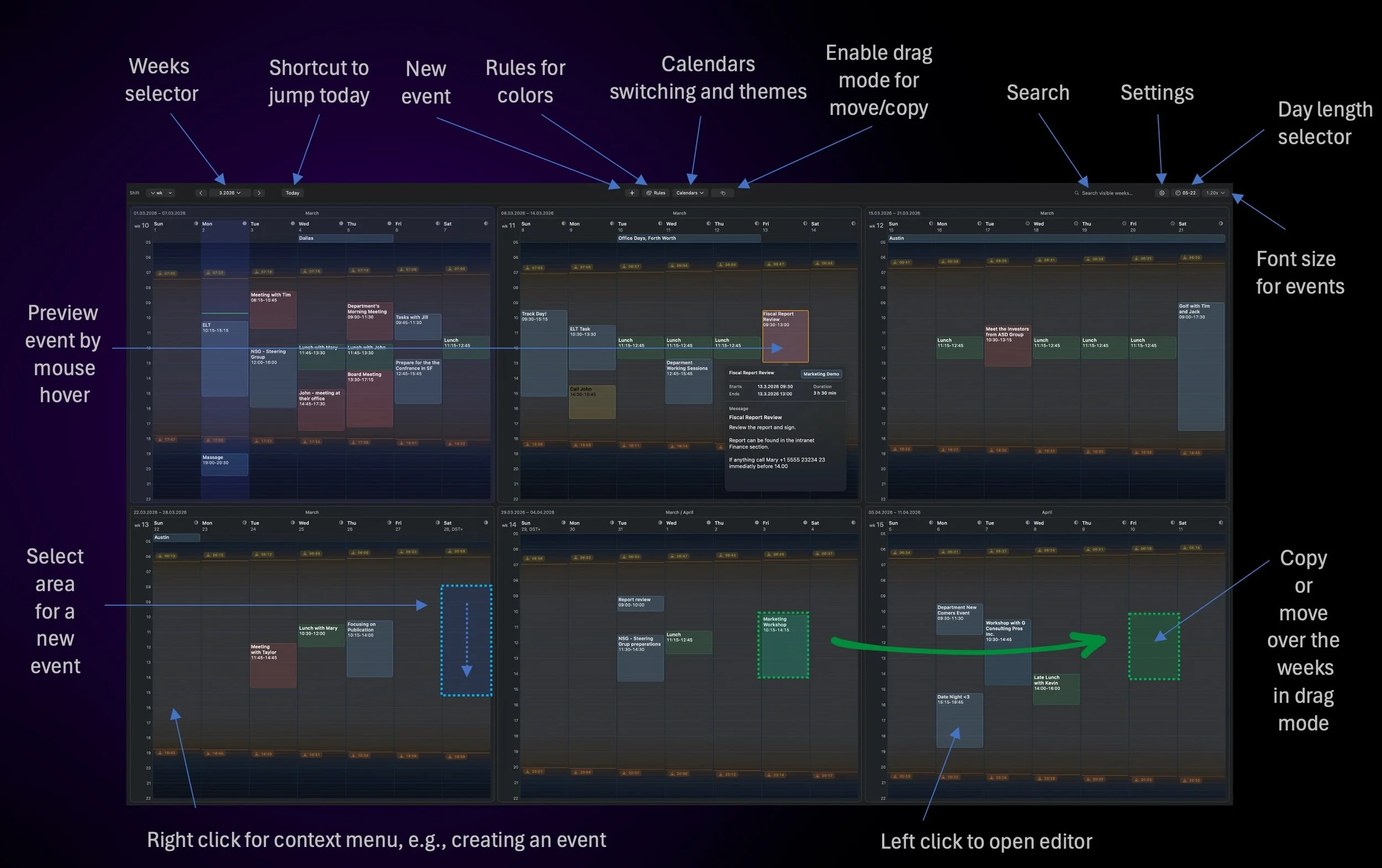
Get the details without losing your place. Popover previews let you zoom into an event instantly, so you can check participants, time, location, notes, and links without opening a full editor every time.
-
MultiWeek makes it easy to add events directly to your own calendars while staying in the same clear multi-week view, so planning does not break your flow. When needed, new events can also be opened directly in Outlook through deep linking, giving you a fast path to the event you are creating.
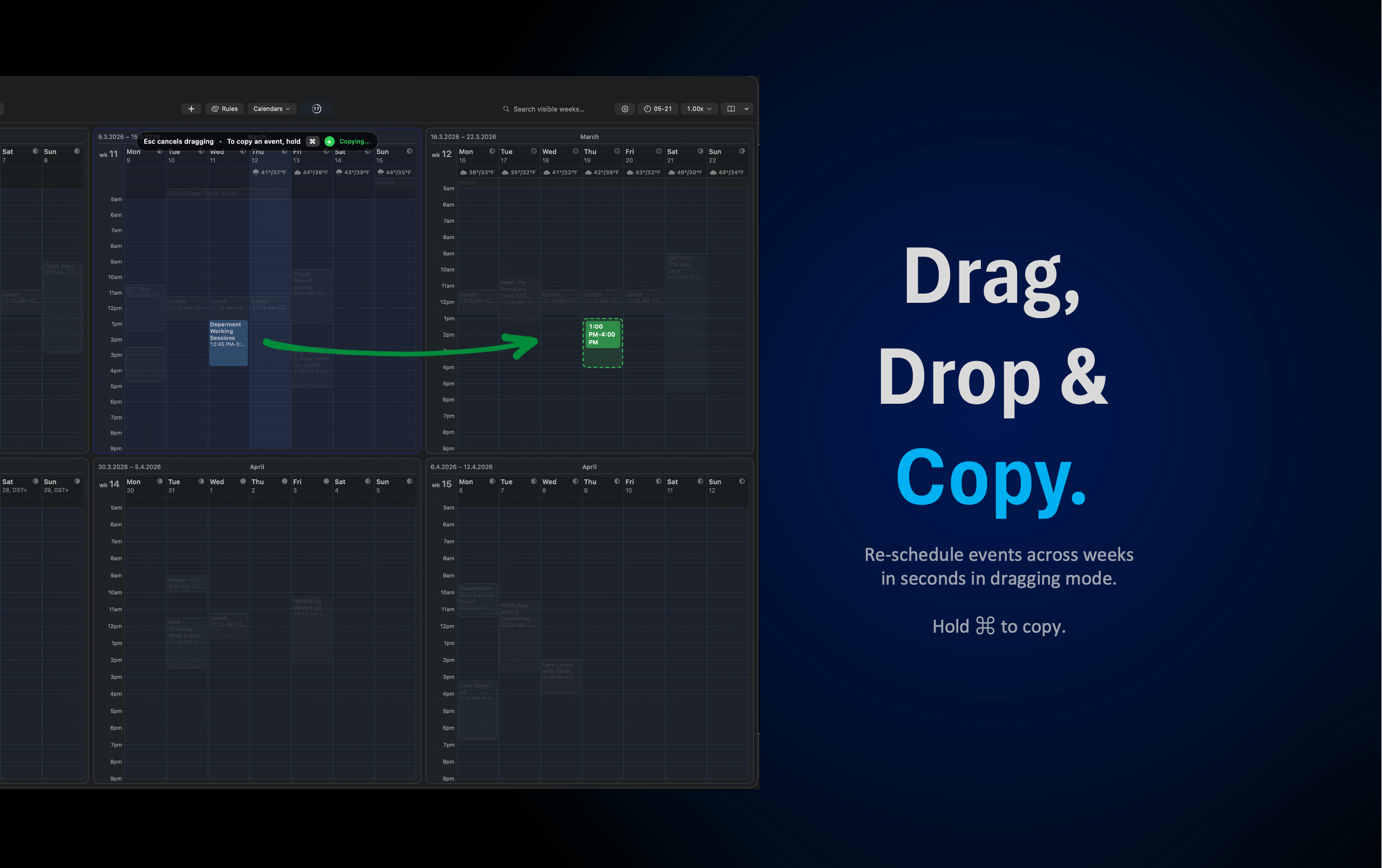
After creating events you can easily make copies of them by drag and drop by holding Command key.
MultiWeek supports sending calendar events as .ICS files via email or any sharing option you have enabled in your MacOS.
Also, you can complete your MultiWeek planned events with invites in your Outlook application after doing multi-week planning in your on calendars.
NOTE: Received invites are shown as read-only in MultiWeek. You can open today’s date in Outlook with one click from MultiWeek.RSVP invites (= Exchange events with recipients who are required to respond) can only be created by switching to Outlook via integration - with one click from Multiweek. Creating them directly from MultiWeek is not currently supported due to integration interface limitations.
-
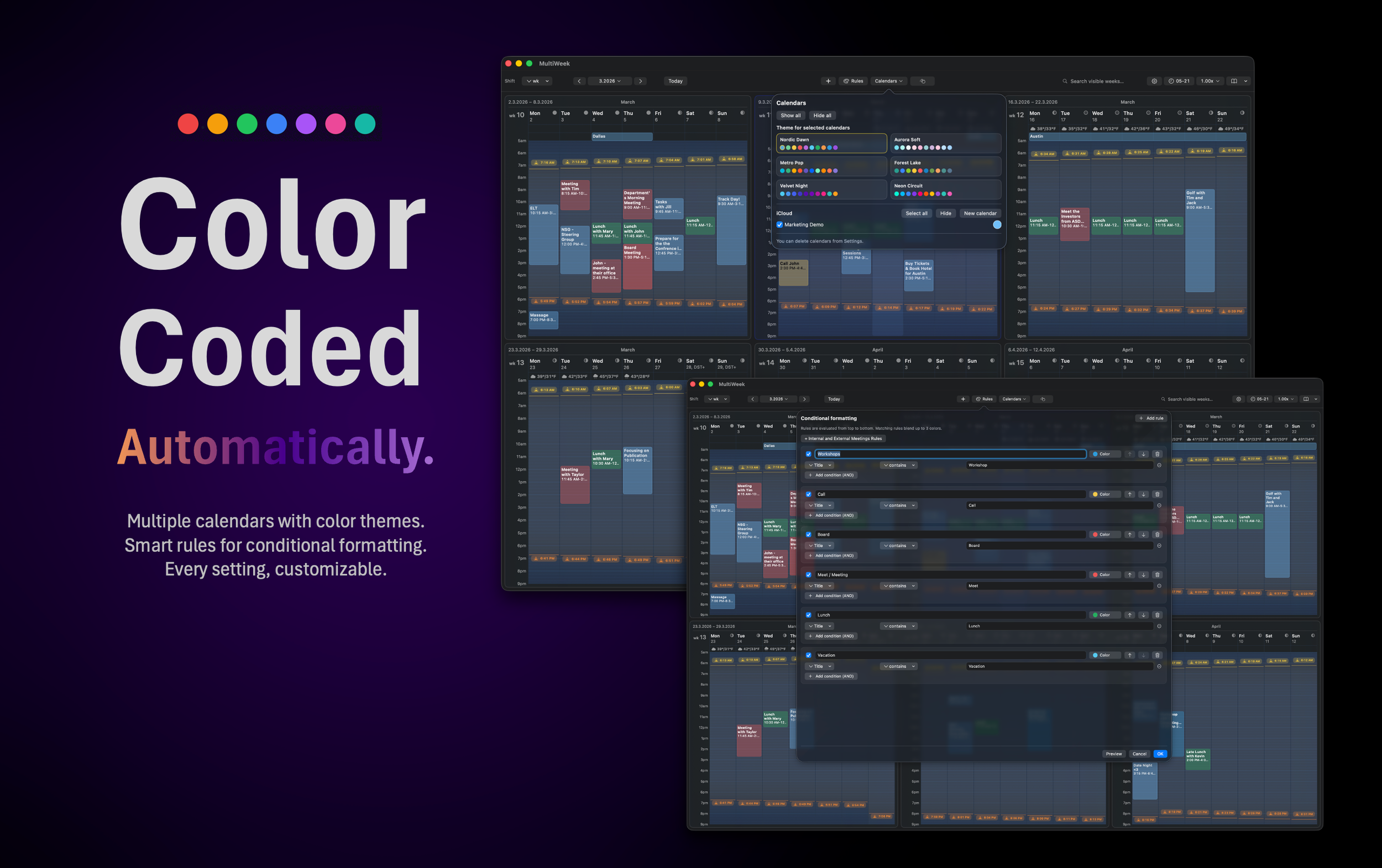
Make your calendar easier to read at a glance. MultiWeek can apply colors automatically using smart rules, so client meetings, internal calls, private events, and project work stand out instantly.
-
MultiWeek supports viewing, creating, editing, and even sending invites through Outlook deep linking or as a .ICS file, giving you a faster workflow without breaking compatibility.
NOTE: Received invites are shown as read-only in MultiWeek. You can open today’s date in Outlook with one click from MultiWeek.RSVP invites (= Exchange events with recipients requested to respond) can only be created by switching to Outlook via integration - with one click from Multiweek. Creating invites directly from MultiWeek is not currently supported due to integration interface limitations.
-
Move through your schedule with speed. A week or a month at a time. Jump forward, back, or straight to the time period you need, making long-range planning feel immediate instead of slow and fragmented.
-
Reschedule in seconds. Drag and drop events in your own calendar to new times, move plans across weeks, and copy existing events when you need to repeat a structure without rebuilding it manually.
Open easily today’s date in Outlook to edit sent or received RSVP calendar invites - events with participants.NOTE: Received invites are shown as read-only in MultiWeek. You can open today’s date in Outlook with one click from MultiWeek.
RSVP invites (= Exchange events with recipients who are required to respond) can only be created by switching to Outlook via integration - with one click from Multiweek. Creating them directly from MultiWeek is not currently supported due to integration interface limitations.
-
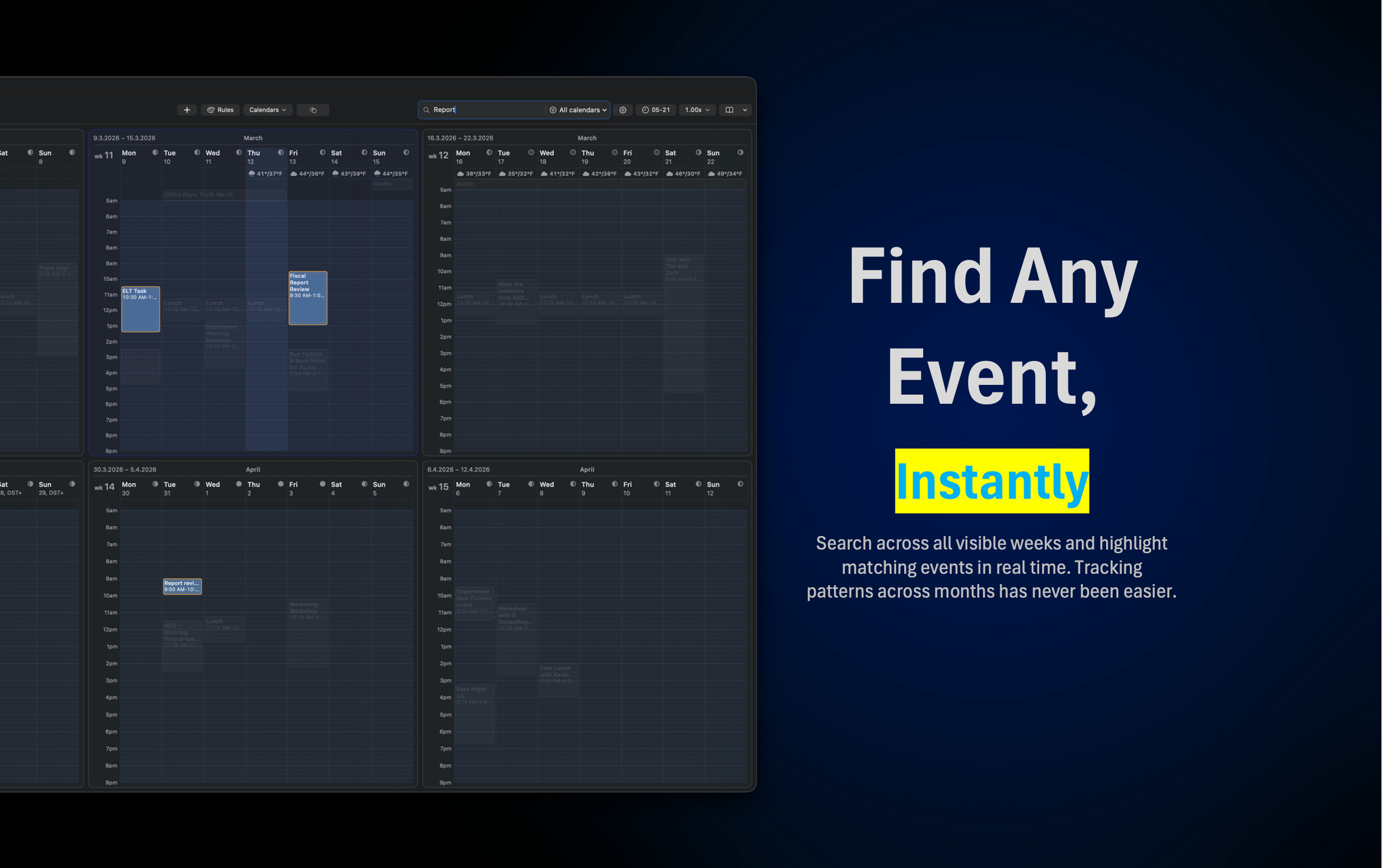
Find what matters fast. Search across your schedule and highlight matching events so it is easy to track important events.
-
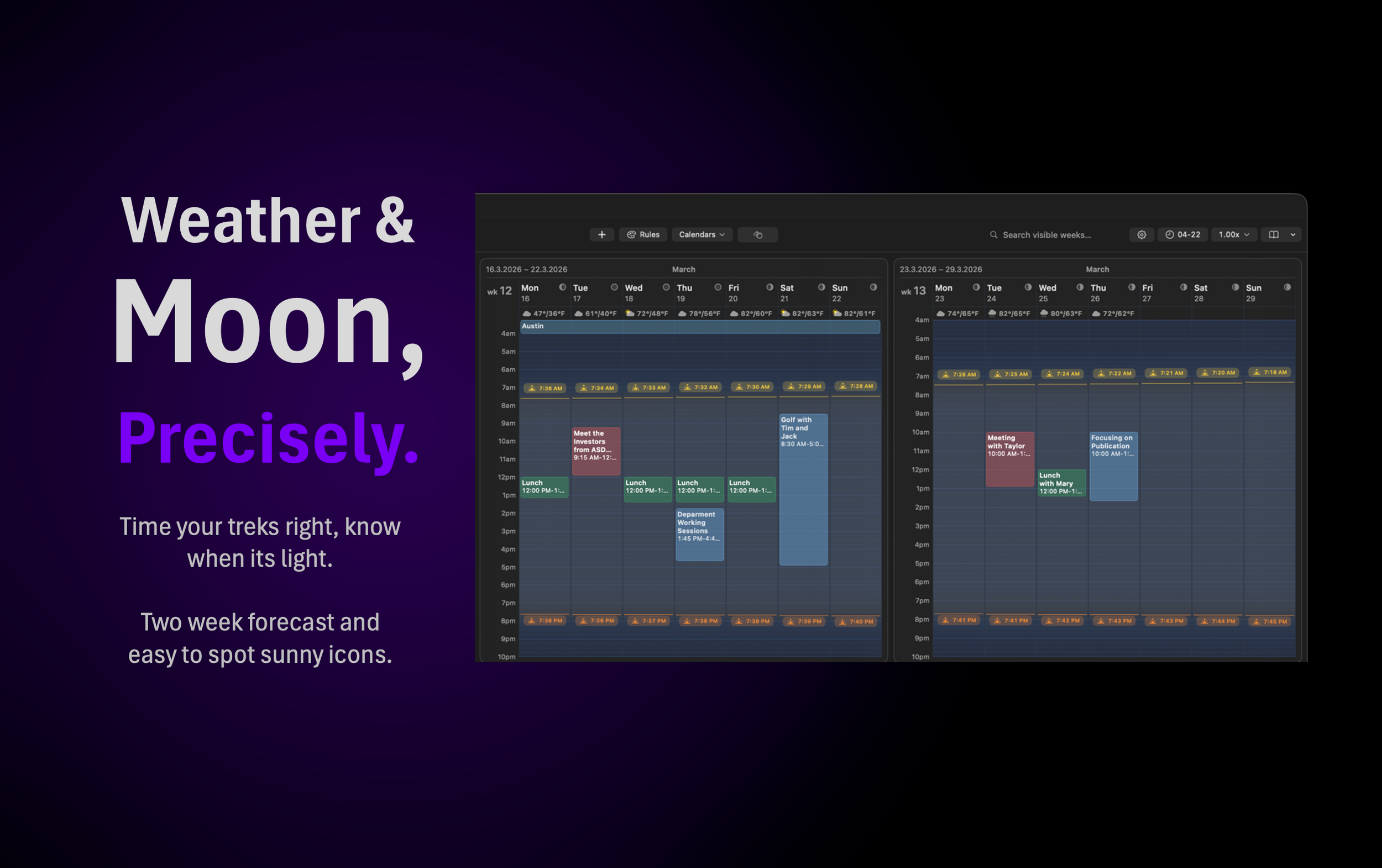
See more than meetings. Daily weather and daylight information help you plan with real-world context, especially when your schedule includes travel, outdoor appointments, or seasonal routines.
-
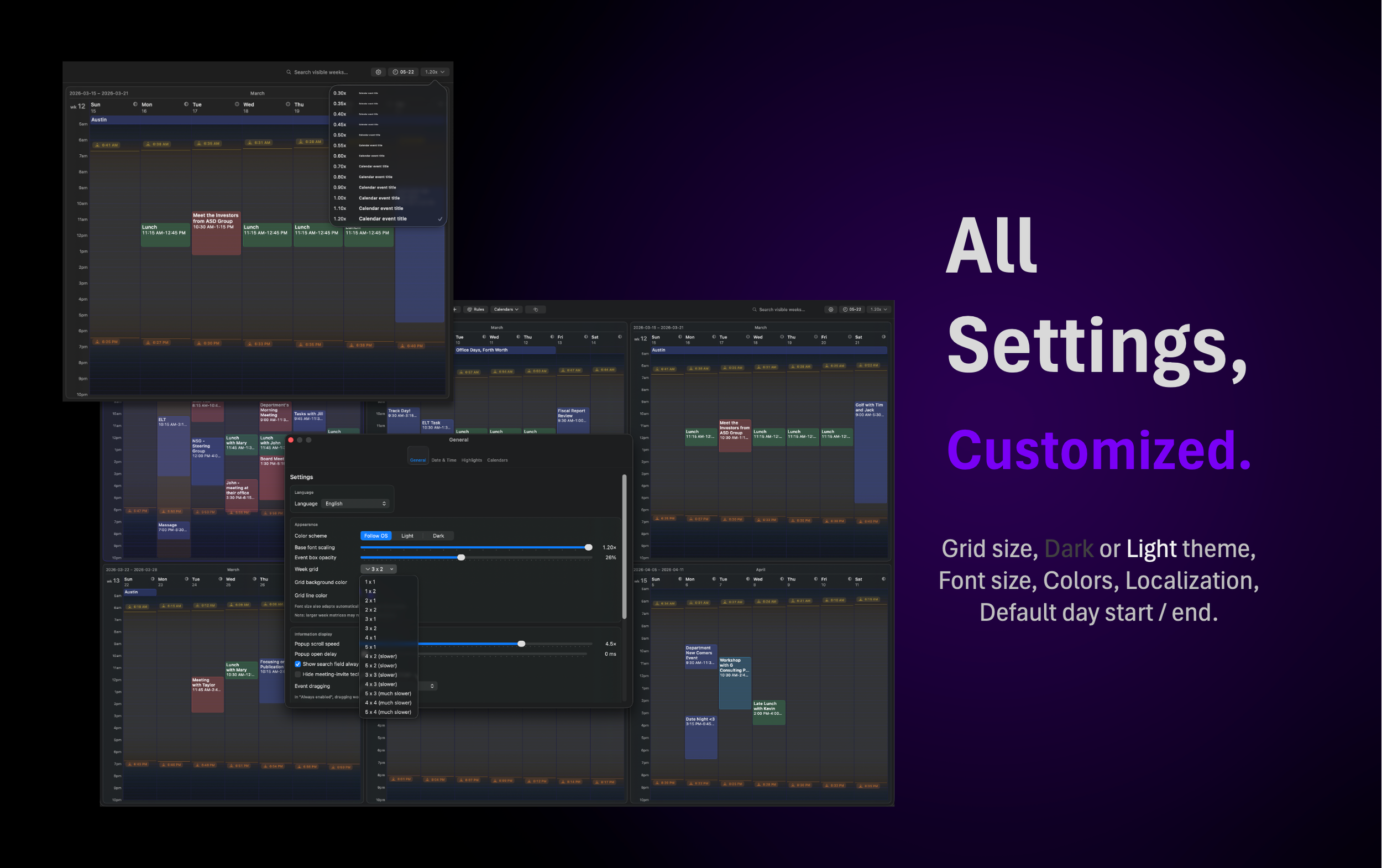
Adjust MultiWeek to match the way you work. Choose your preferred colors, themes, and font sizes to create a calendar view that stays readable, personal, and comfortable throughout the day.
-
Shape the calendar around your schedule. Define the hours you want to see and fine-tune the layout, so MultiWeek focuses on the time that actually matters to you.

3 x 2 Weeks Grid with Event Popover (Dark)

3 x 2 Weeks Grid with Event Popover (Light)

Calendars and Color Theme Selector

Customizable Behavior and Settings

Automatic Color Rules for Events
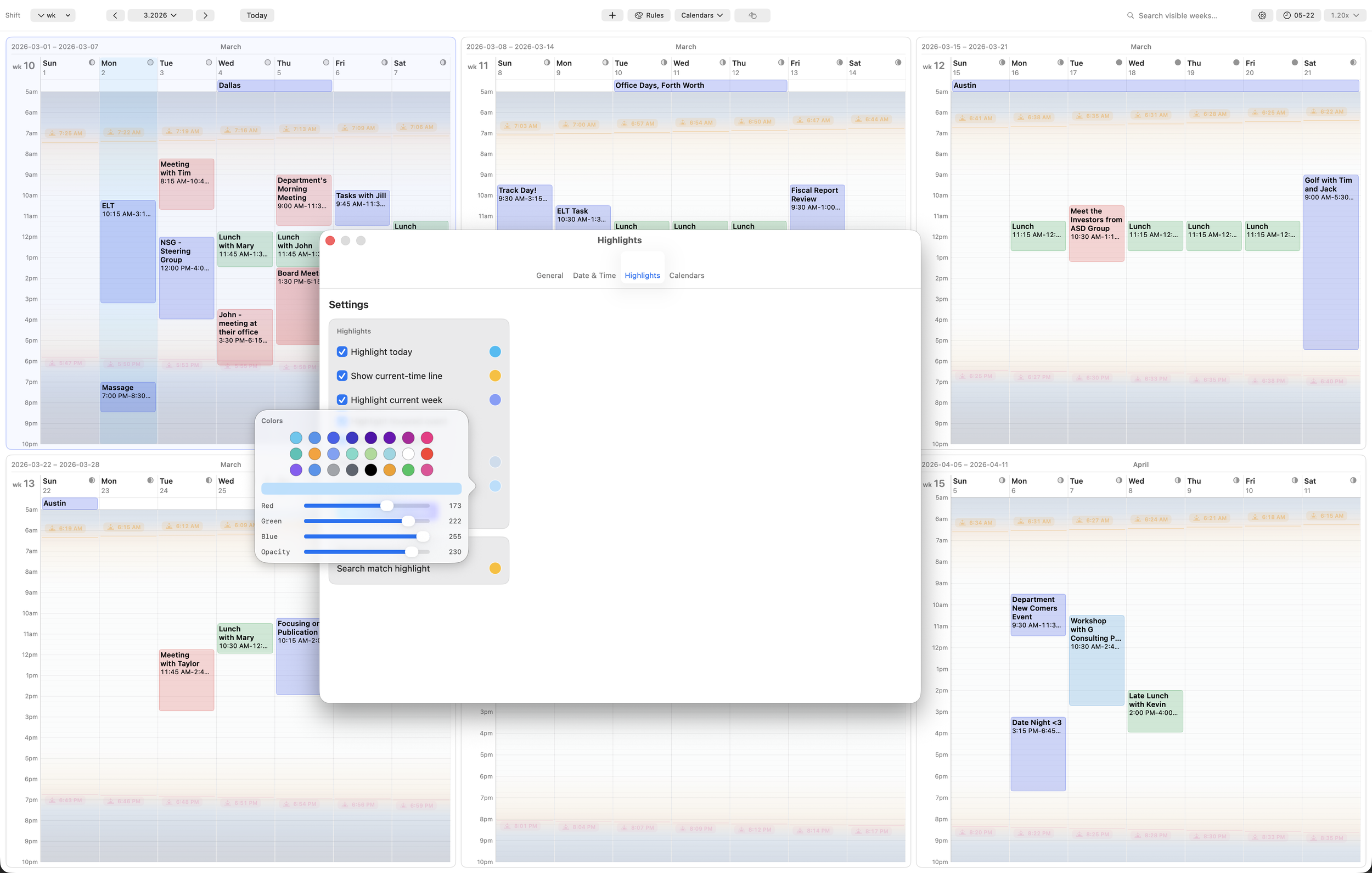
Highlight Color Selection

Event Popover

5 x 4 Calendar Grid on 5K Display

Search and Hit Highlighting

Visible Hours Settings

Copying Event

Precise Settings

Font Size Selector

Week Navigator
FAQ
What makes MultiWeek different from Apple Calendar or Outlook?
1
MultiWeek is built for people who need the bigger picture, not just the next appointment. Instead of forcing you to browse week by week, it lets you see 1 to 20 weeks at once so workload, timing, and conflicts become obvious immediately.
MultiWeek can show 1, 2, 4 or 6… week calendars at a time, all the way up to 5 x 4 = 20 weeks matrix. It is your choice how much information is enough for you in one screen.
Which calendars does MultiWeek work with?
2
MultiWeek works with calendars available through MacOS calendar services, including Outlook, Exchange, iCloud, and Google calendars.
Who is MultiWeek best suited for?
3
MultiWeek is best for people with dense schedules: managers, consultants, project leads, freelancers, and anyone coordinating multiple clients, teams, or deadlines at the same time.
Are color rules automatic or manual?
4
They can be automatic. You can create rules based on sender domains, keywords, or other event patterns so different kinds of meetings are color-coded without manual tagging.
MULTIWEEK app
week CALENDAR,
RE-INVENTED.

“MultiWeek lets me see the finest calendar details without ever losing sight of the bigger picture.”
Jane, 32 - Los Angeles
Contact Us
Interested in our application?
Having issues or ideas for us?